Research & Architecture
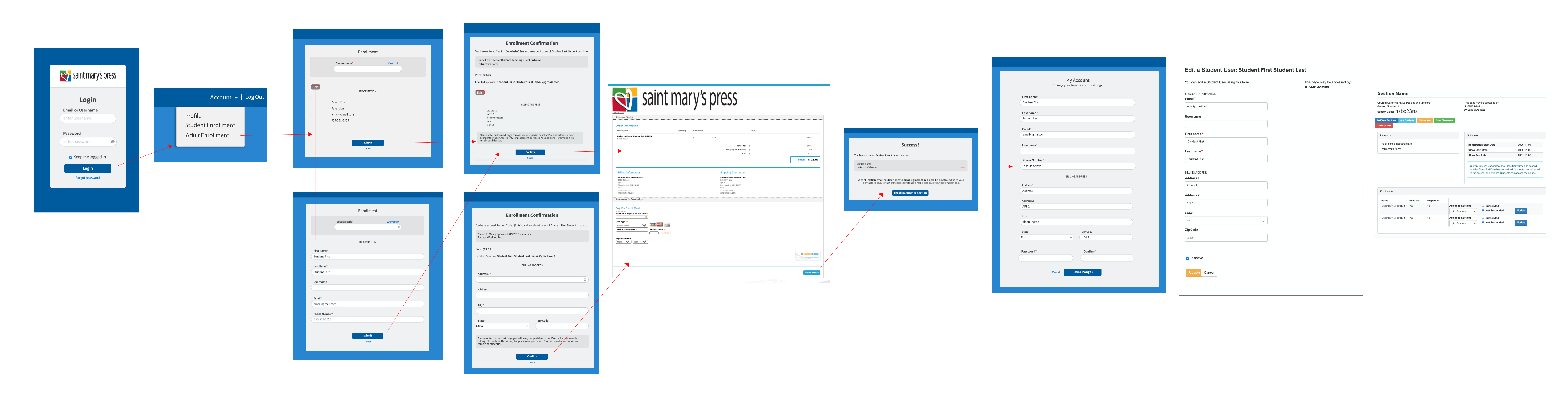
I looked at popular self-enrolling processes, as well as our current enrolling process for the user and administration. The goal was not to create something they were used to, but make the process easier to use, while saving time and money on development.
I met with our engineer and went over what fields would be required for self-enrollment. I grabbed current layouts, identified user types, and redesigned page types to include fields we would need.
In a brief I described the account page would not be an actual page, but just a link to a dropdown. The pages are profile, enroll student and adult (specialty courses).
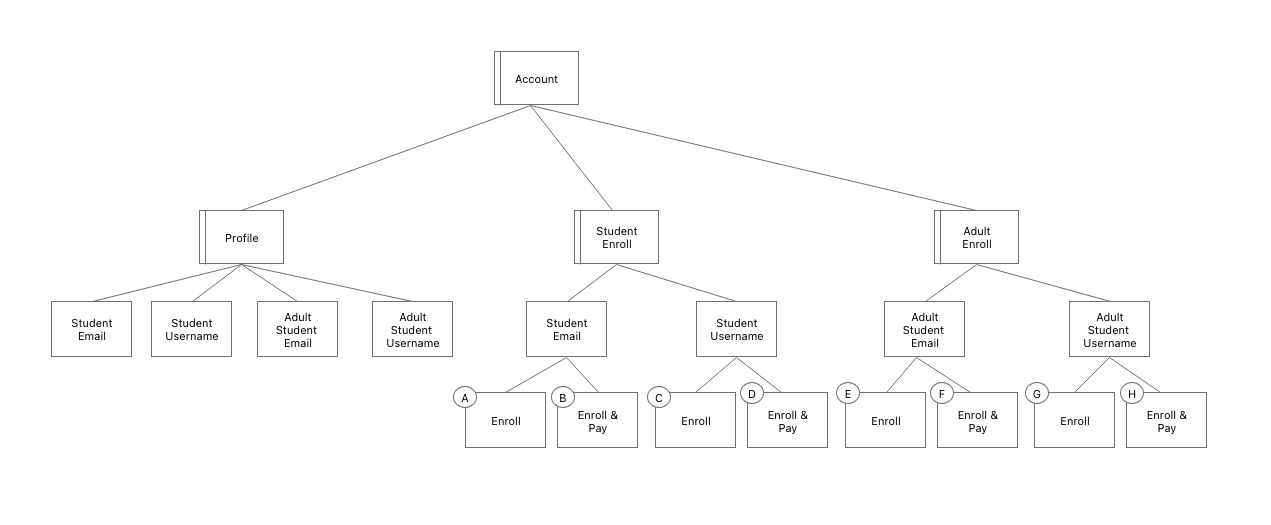
Wireflows
I created wireflow in Adobe XD using a flow kit and art boards for each user type.
Username Student Enrolls - First Time
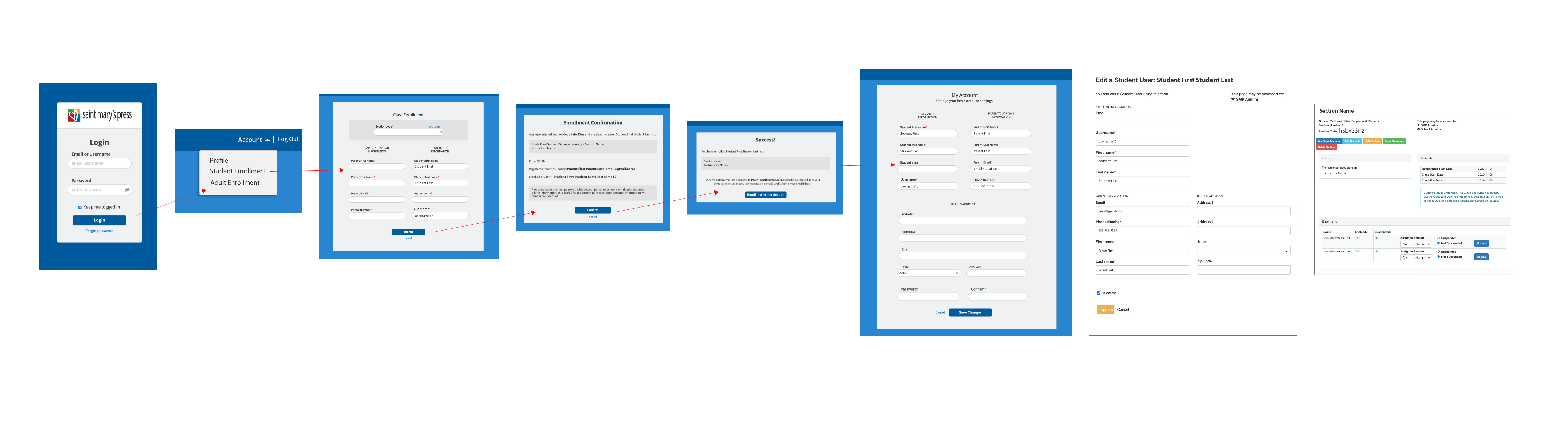
Username Student Enrolls & Pays – First Time
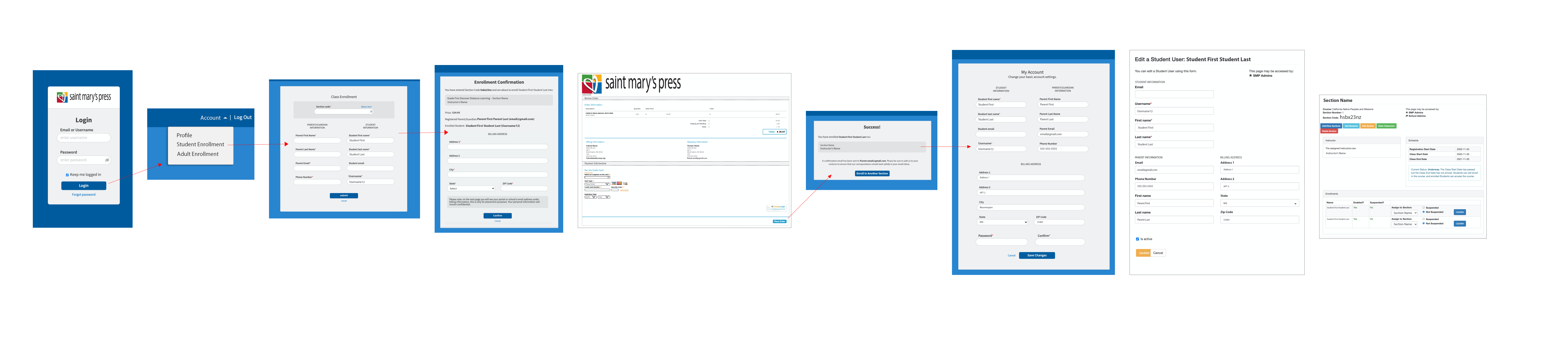
Username Student Re-enrolls & Pays - First Time
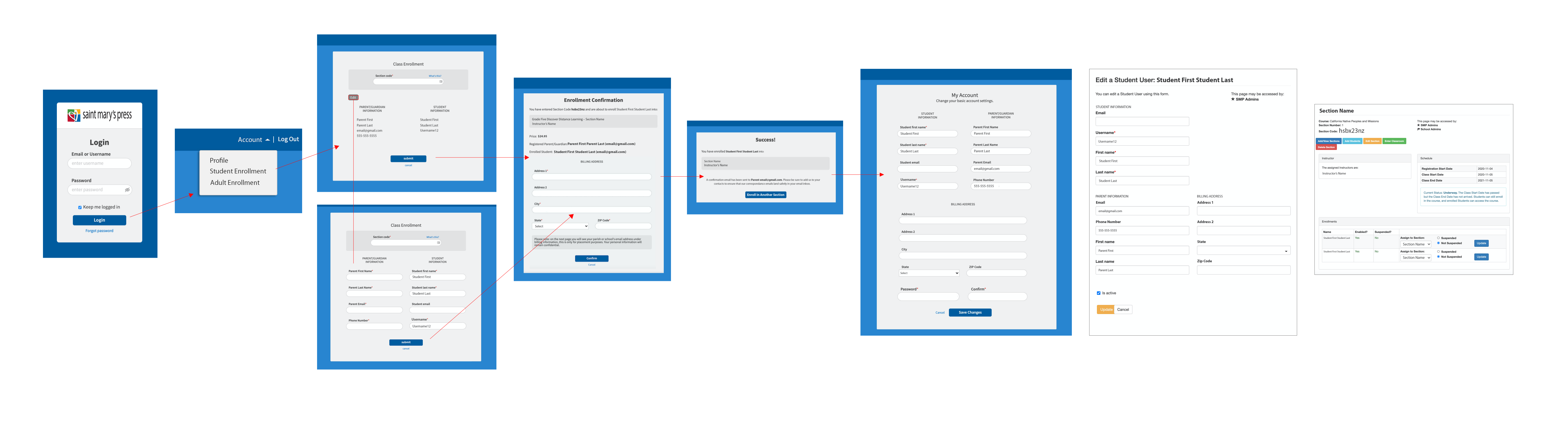
Username Student Re-enrolls
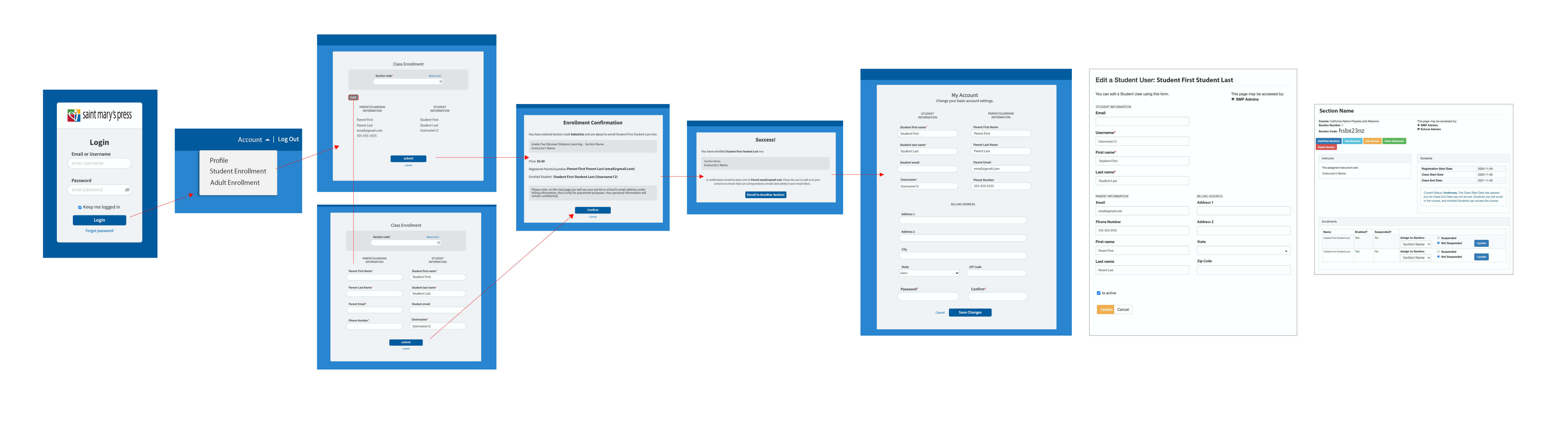
Username Student Re-enrolls & Pays Again
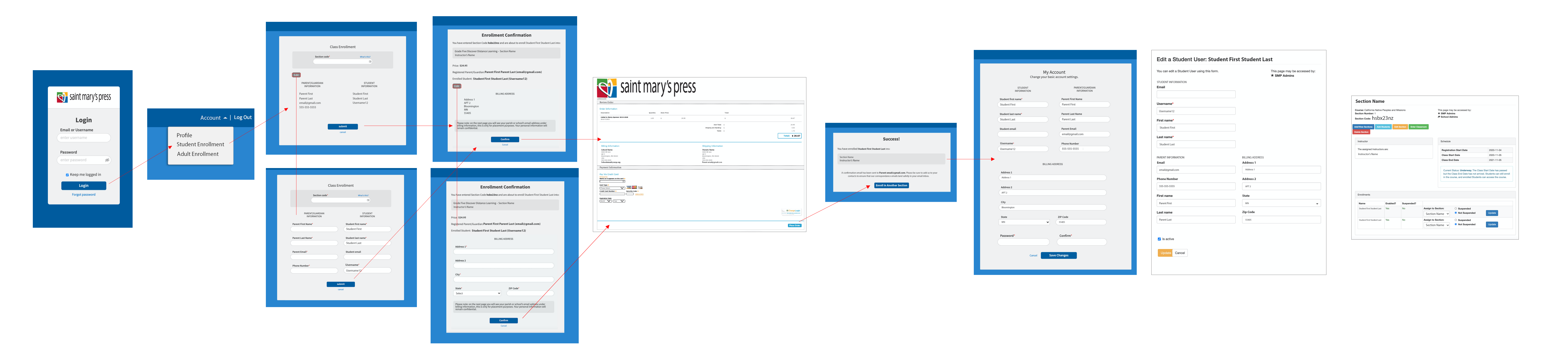
Email Student Enrolls – First Time
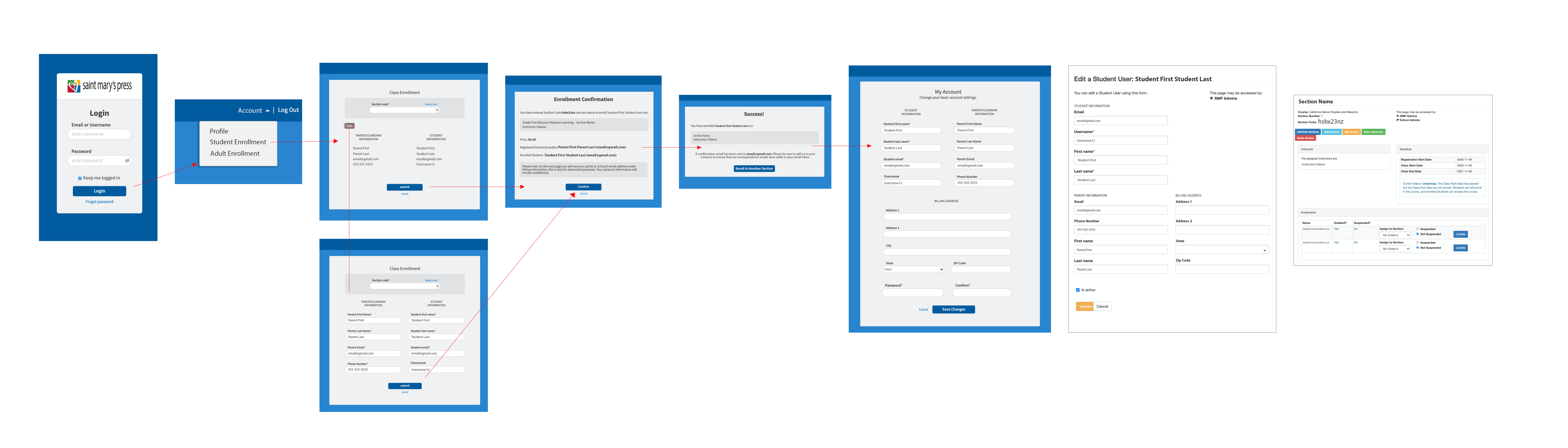
Emailed Student Re-enrolls & Pays - First Time
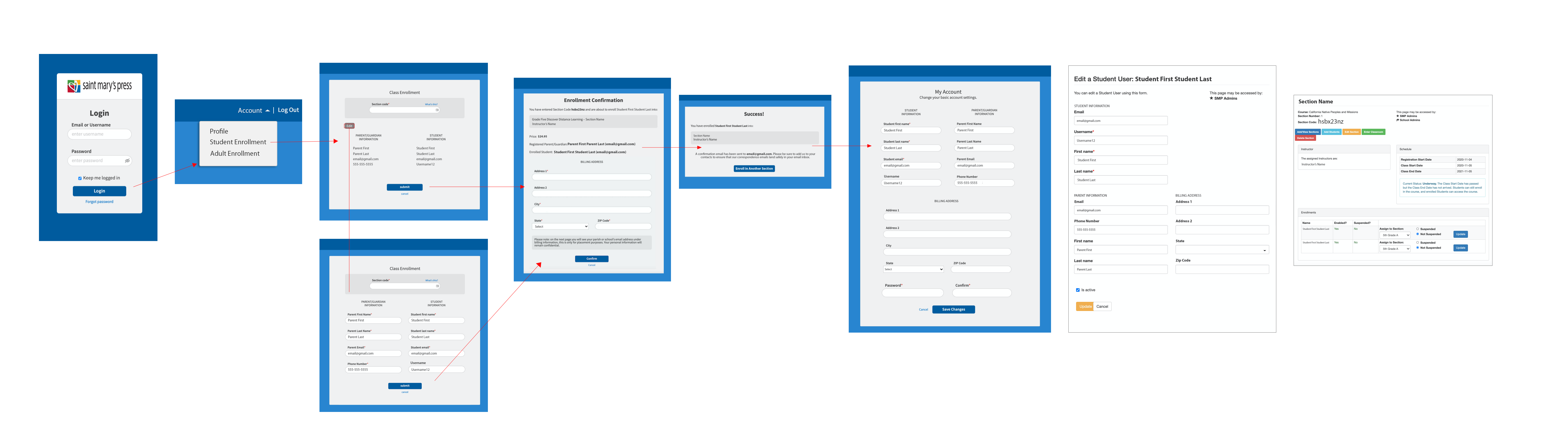
Emailed Student Re-enrolls & Pays Again
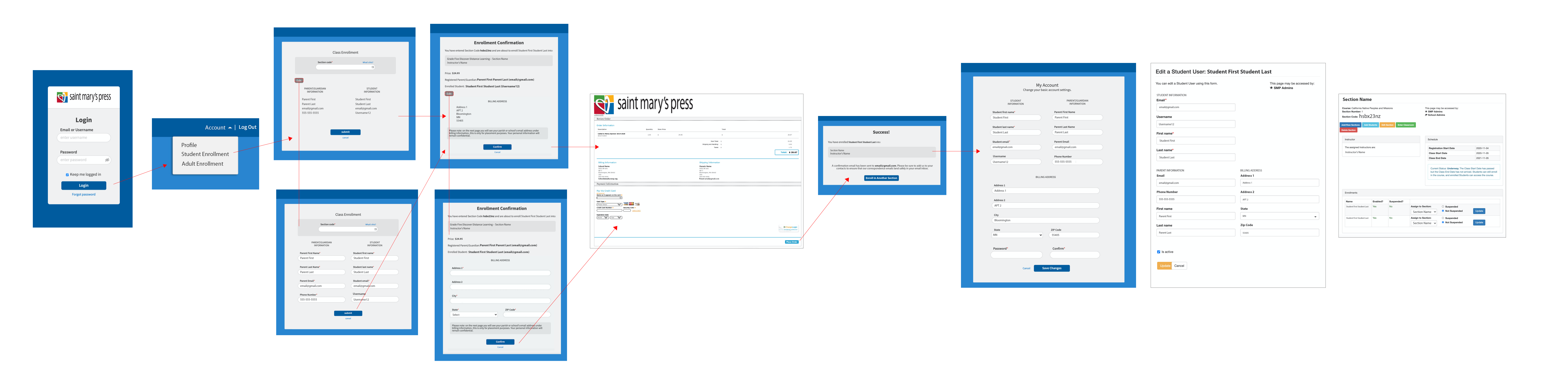
Username Adult Student Enrolls – First Time
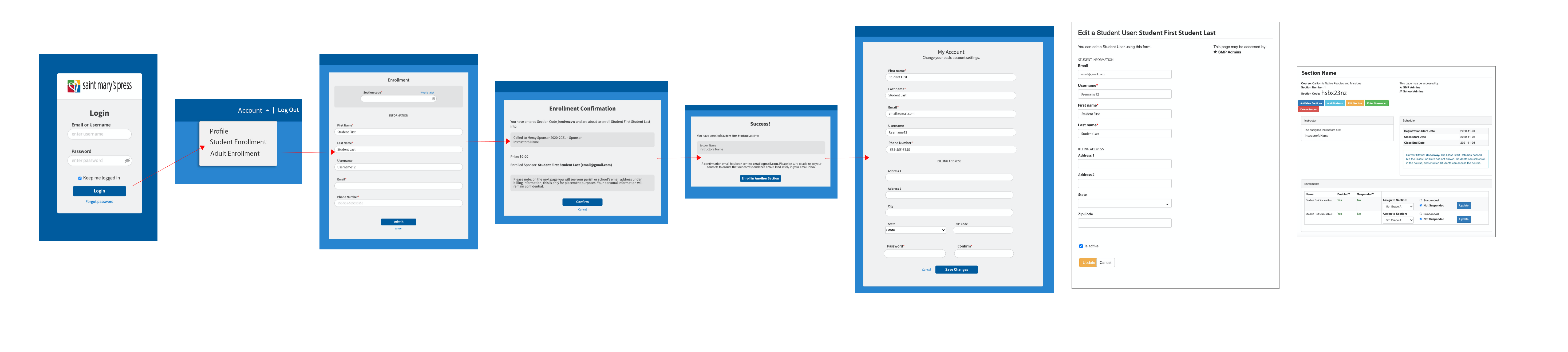
Username Adult Student Enrolls & Pay - First Time
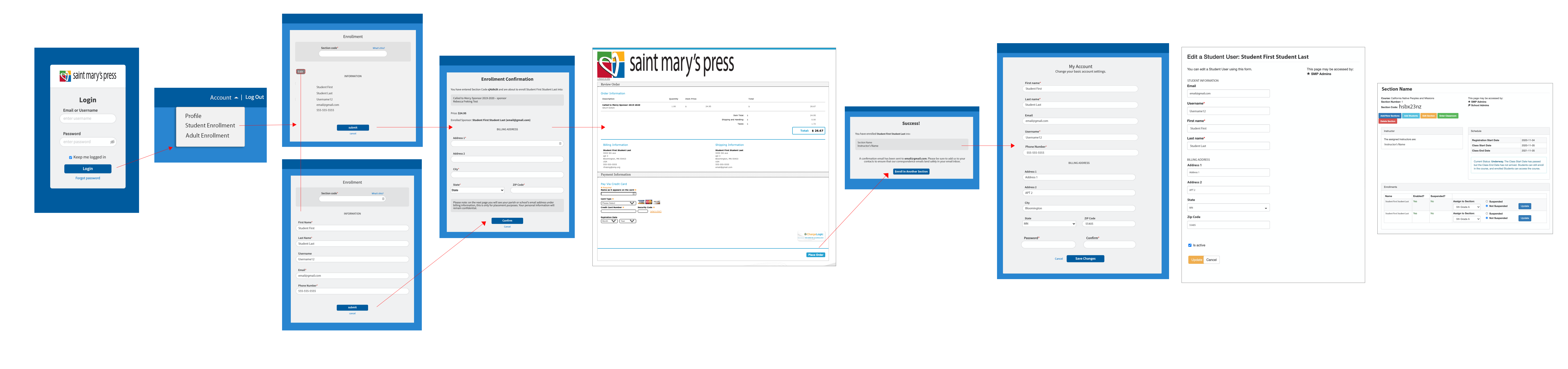
Username Adult Student Re-enrolls & Pays - Frist Time

Email Adult Student Enrolls
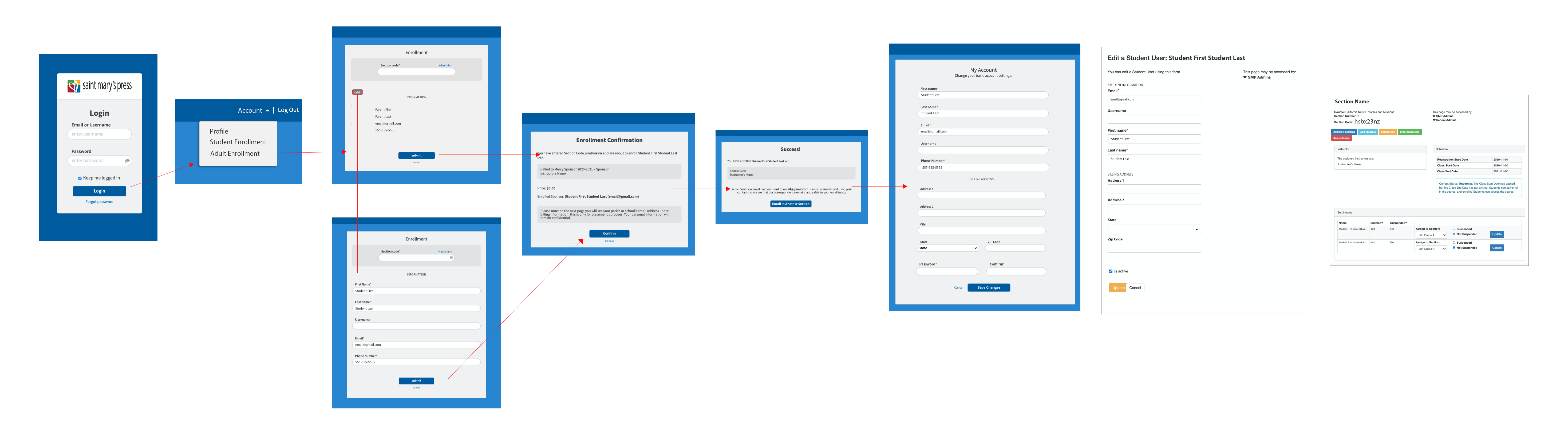
Email Adult Student Enrolls & Pays – First Time
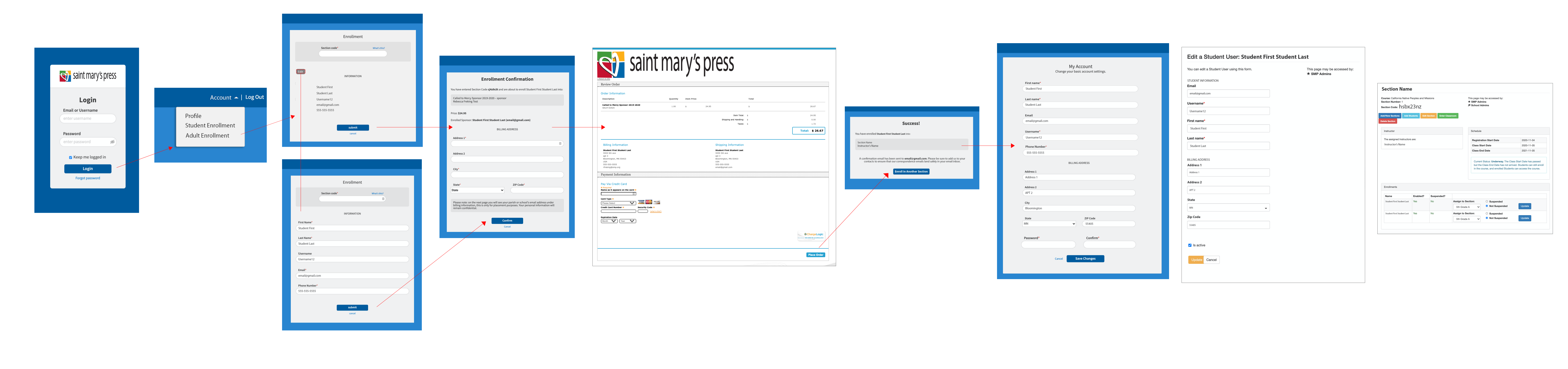
Username & Email Adult Student Enrolls & Pays Again